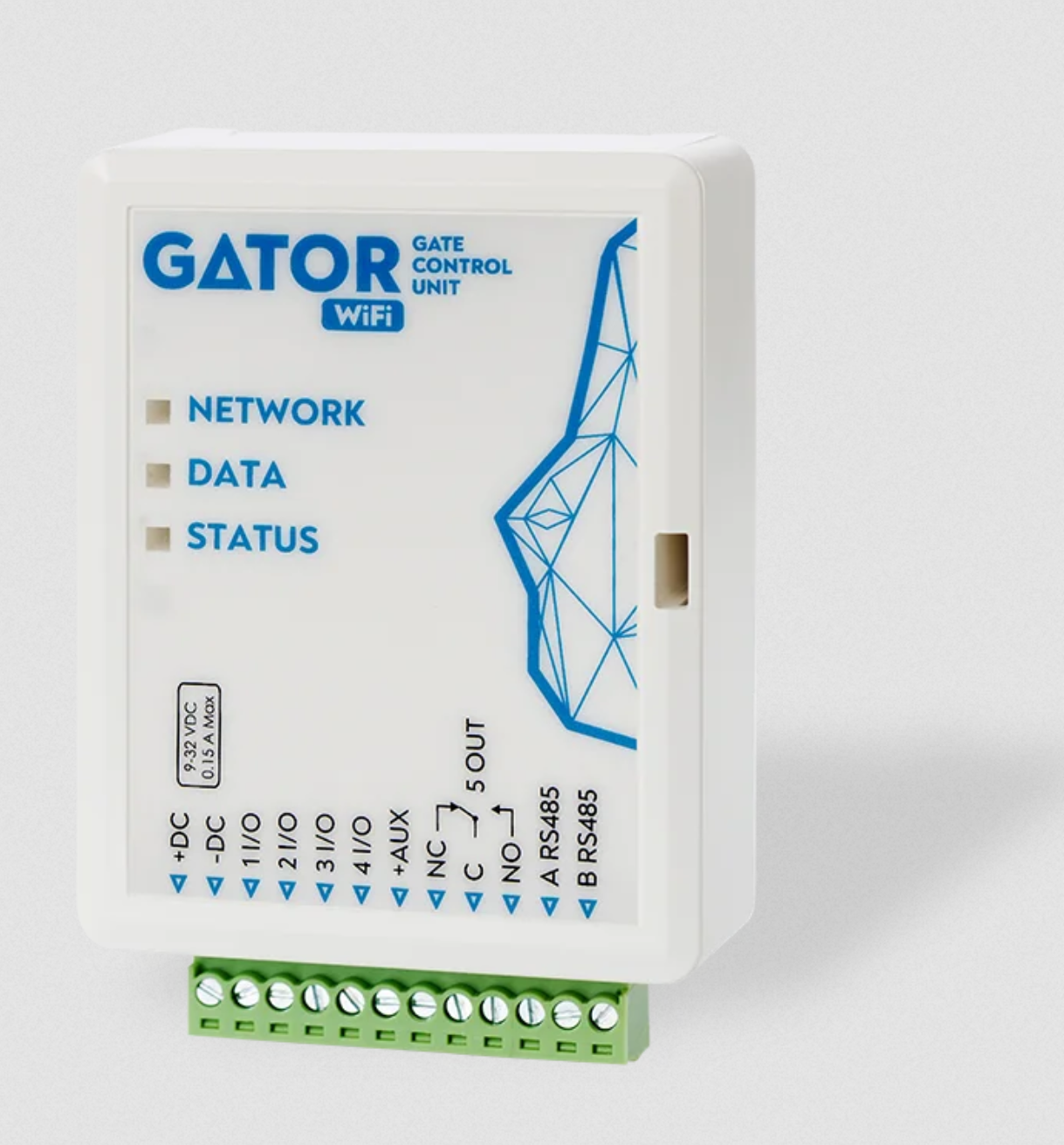
The Gator WiFi is a professional internet-based controller designed for smart remote management of gates, barriers, and doors. Utilizing your local Wi-Fi network, it eliminates the need for a SIM card, while providing the same powerful features as the cellular version. Manage up to 997 users effortlessly via the Protegus 2 app, and enjoy a secure, cost-effective access control solution for your home or business.
Gator Wi-Fi can be controlled with Protegus 2 app. Up to 990 users.
>Also can be used to set the user control schedule, set the counter, how many times the user can control the system. The controller can send messages about input and output activation,
and restores to the CMS (Central Monitoring Station) receiver and the Protegus 2 app.
Seamless App Control – Open and close your gates from anywhere in the world using the Protegus 2 app. Use home screen widgets for even faster access without opening the application
997 User Management – Grant access to up to 997 unique users. Admins can easily add, remove, or temporarily disable users through the cloud interface, making it perfect for shared parking lots.
Live Status Monitoring – Features 2 monitoring inputs. Receive instant “Push” notifications if the gate is left open too long or if someone forces it open, providing extra security for your assets.
Reliable Wi-Fi Link – Connects to any standard 2.4 GHz Wi-Fi network. Features an external antenna option for a stable link, even when the controller is mounted inside a metal gate automation box.
Remote control
• With Mobile application Protegus 2.
Messages for users
• Sends messages about events to the Protegus 2
Messages for the security company
• Sends event information in Contact ID codes to TRIKDIS software and hardware receivers, which work with any monitoring software.
• Can simultaneously send event messages to the receiver of the safety company and work with the Protegus 2
• If the connection with the main receiver is lost, the messages are automatically sent to a backup receiver.
Inputs and outputs
• 4 universal inputs/outputs. The mode of operation is set as either input (NO; NC; EOL) or output.
• 1 output (OUT) – relay.
Settings and installation
• Quick and easy installation.
• The addition of new users and deletion of existing users can be done with the Protegus 2 app. (when logged in with administrator rights), TrikdisConfig
• The device can be configured either by connecting a USB Mini-B cable, or remotely with the TrikdisConfig and Protegus 2 app.
• Remote updating of firmware.